How to Build a Complete Business Website with Elementor Without Coding
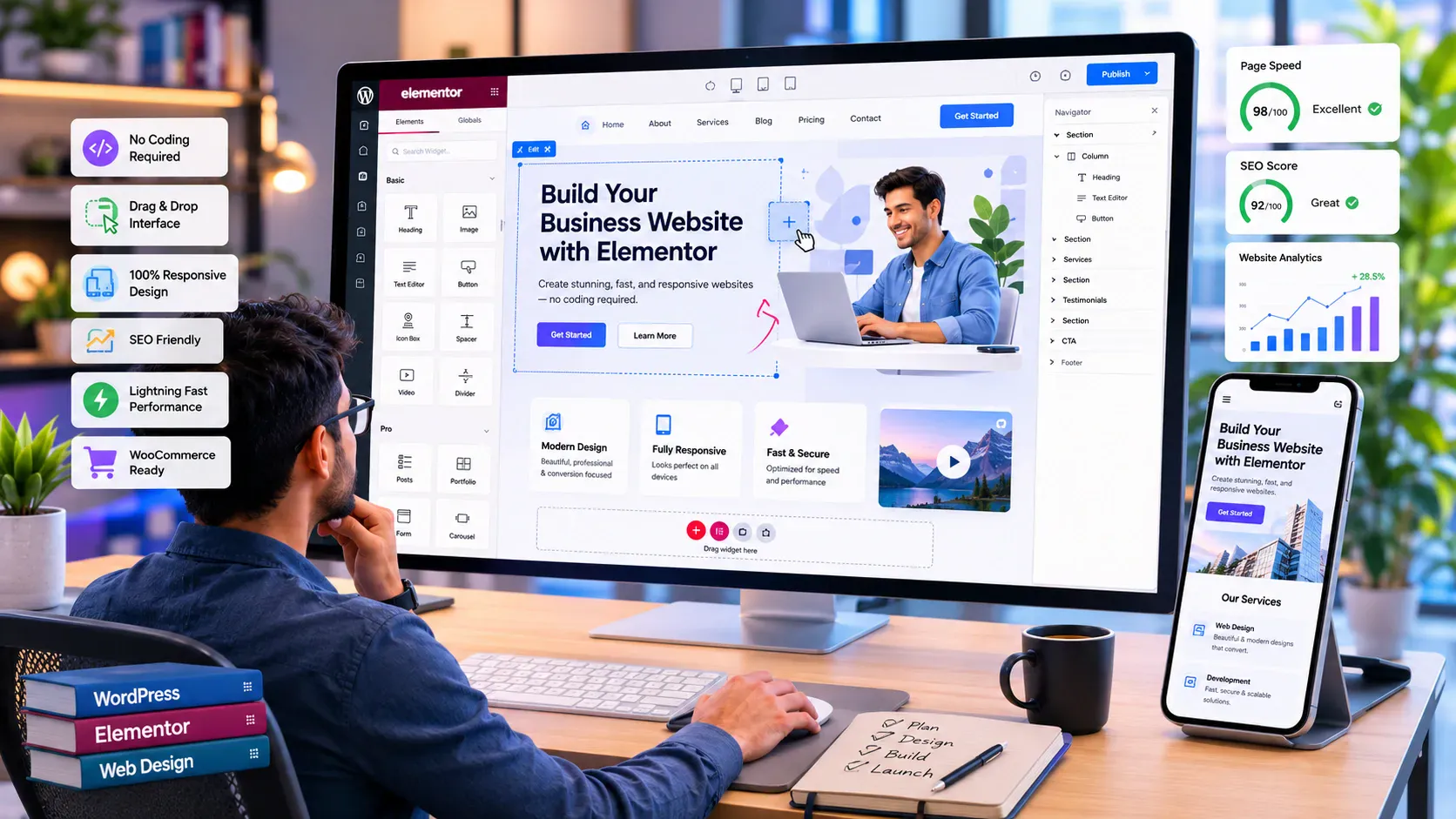
Building a professional business website no longer requires custom HTML, CSS, or JavaScript. With WordPress, Elementor, and the right Elementor addons, we can create a complete business website visually. That includes the homepage and service pages, plus pricing tables, testimonials, contact sections, and mobile layouts.
At Turbo Addons, we focus on helping Elementor users build faster with ready-to-use widgets and templates. The goal is simple: make it easier to create polished business websites without depending on custom code for every section.
In this guide, we’ll show you how to build a complete business website with Elementor without coding. We’ll keep performance, SEO, user experience, and conversions in mind.
Key Takeaways for Building a Business Website with Elementor Without Coding
Before you start designing, keep these principles in mind:
- Define your business goals first.
- Plan your website structure before opening Elementor.
- Keep colors, typography, and spacing consistent.
- Build every page around a clear user action.
- Use Elementor widgets only when they improve the experience.
- Test desktop, tablet, and mobile layouts.
- Optimize images and plugins for speed.
- Complete basic SEO before launch.
The design should support the business, not distract from it.
What You Need to Build a Business Website with Elementor
You do not need a complicated technology stack.
Start with four essentials:
A Domain Name
Choose a domain that is easy to spell and easy to remember. It should also be closely connected to your business or brand.
Avoid unnecessary numbers, hyphens, or overly long names.
Reliable WordPress Hosting
Your hosting affects speed, security, backups, and reliability.
Look for hosting that supports WordPress well. It should also give you room to upgrade as traffic grows.
WordPress
WordPress gives you the content management foundation for your website.
Before designing, configure basic settings such as:
- Site title
- Permalinks
- Time zone
- Homepage
- User accounts
Elementor and Elementor Addons
Install Elementor as your visual page builder.
You can then extend its design capabilities with Turbo Addons for Elementor. This gives you additional widgets and pre-built design options for business pages.
Define the Purpose of Your Elementor Business Website
Before building your homepage, decide what the website should accomplish.
Ask:
What should a visitor do after landing on the site?
That action might be:
- Request a quote
- Book a consultation
- Buy a product
- Contact your team
- Register for a service
- Subscribe to a newsletter
Once the primary action is clear, the rest of the website becomes easier to structure.
You should also identify your target audience.
A software company may need feature, pricing, and demo pages. A service business may need stronger trust signals, case studies, testimonials, and consultation forms.
Design around visitor intent rather than decoration.
Plan Your Business Website Structure Before Using Elementor
A simple sitemap can save hours of redesign later.
A typical Elementor business website may include:
Home → About → Services → Pricing → Blog → Contact
Depending on the business, you may also need:
- Portfolio
- Case Studies
- Testimonials
- FAQ
- Team
- Products
- Resources
Keep navigation straightforward.
Visitors should understand where to go without having to investigate your menu.
Set Up WordPress and Elementor Properly
Once WordPress and Elementor are installed, create a basic design system before building pages.
Define:
- Primary and secondary colors
- Heading typography
- Body font
- Button styles
- Section spacing
- Border radius
- Content width
This prevents inconsistencies later.
If every page uses different fonts, colors, and spacing, the website will feel fragmented. That happens even if each individual section looks good.
Choose a Template or Build Your Elementor Website from Scratch
There are three practical approaches.
Use a Pre-Built Template
This is the fastest option.
Start with an existing layout. Then replace the generic branding, content, images, and calls to action with your own.
Build from Scratch
Starting from a blank page gives you more control.
This works best when you already have a wireframe, brand system, or clear design direction.
Combine Templates with Custom Elementor Sections
This is often the most efficient approach.
Use templates for the overall structure. Then customize important sections with Elementor and Turbo Addons widgets.
You get speed without making every website look identical.
Build a High-Converting Business Homepage with Elementor
Your homepage should answer four questions quickly:
- Who are you?
- What do you offer?
- Why should visitors trust you?
- What should they do next?
Create a Clear Hero Section
Your hero section should contain:
- Strong headline
- Short supporting copy
- Primary CTA
- Relevant image or visual
Avoid vague headlines such as “Welcome to Our Website.”
Say what the business actually does.
Present Your Services Clearly
Use cards or information boxes to highlight core services.
Keep each explanation concise. Link to dedicated service pages when more detail is needed.
Add Social Proof
Useful trust elements include:
- Testimonials
- Client logos
- Reviews
- Case studies
- Certifications
- Project examples
Turbo Addons can help you build these sections visually without writing custom code.
Build the Essential Business Pages
Your homepage should introduce the business. Dedicated pages should answer deeper questions.
About Page
Explain who you are, what you do, and what makes your company different.
Keep the story relevant to the customer.
Services Page
For each major service, explain:
- The problem
- Your solution
- Benefits
- Process
- Next step
Pricing Page
If your business publishes pricing, make plans easy to compare.
Use clear tables, feature lists, and visible calls to action.
Contact Page
Keep it simple.
Include the information visitors actually need. That may be a contact form, phone number, email, address, or business hours.
Use Turbo Addons to Build More Without Coding
Elementor provides the visual editing environment. Turbo Addons extends what you can create within that workflow.
For business websites, you can use widgets for sections such as:
- Feature cards
- Pricing tables
- Calls to action
- Accordions
- Testimonials
- Logo showcases
- Image carousels
- Data tables
- Blog layouts
- WooCommerce sections
The goal is not to use every widget available.
Use the components that improve communication, usability, or conversion.
A cleaner page often performs better than one overloaded with visual effects.
Make Your Elementor Business Website Mobile Responsive
A business website is not finished until it works well on mobile.
Check:
- Heading sizes
- Paragraph width
- Button size
- Spacing
- Images
- Navigation
- Forms
- Card stacking
Use Elementor’s responsive controls to review desktop, tablet, and mobile layouts separately.
Also test the published website on real devices. Editor previews are useful, but real-device testing often reveals issues that previews miss.
Optimize Your Elementor Website for Speed
Performance should be considered during design, not after launch.
Start with:
- Properly sized images
- Compressed media
- Lightweight themes
- Fewer unnecessary plugins
- Clean container structures
- Limited animations
- Caching
- Performance optimization tools
Avoid installing multiple Elementor addon plugins just to access one or two widgets from each.
A focused plugin stack is easier to maintain.
Optimize Your Elementor Business Website for SEO
If you want organic traffic, SEO should be part of the build process.
Use One Primary Keyword Per Important Page
Avoid targeting several unrelated topics on one page.
For example, a service page should focus on that service and related search intent.
Structure Headings Properly
Use one clear H1 for the main page topic. Follow it with logical H2 and H3 headings.
Do not choose heading levels only because of their visual size.
Optimize Basic On-Page SEO
Before publishing, review:
- SEO title
- Meta description
- URL slug
- H1
- Headings
- Image alt text
- Internal links
- Page content
Write naturally. Keyword repetition should never make the page difficult to read.
Test Your Elementor Website Before Launch
Before going live, check the complete user journey.
Review:
- Desktop layout
- Tablet layout
- Mobile layout
- Navigation
- Forms
- Buttons
- Internal links
- External links
- Images
- Page speed
- SEO metadata
- Analytics
- HTTPS
Then act like a customer.
Can you understand the business within a few seconds?
Can you find the main service?
Can you contact the company easily?
If not, improve the experience before driving more traffic.
Common Mistakes When Building a Business Website with Elementor Without Coding
Avoid these common problems:
- Installing too many addons
- Designing before planning the sitemap
- Building only for desktop
- Using excessive animations
- Ignoring website speed
- Creating pages without calls to action
- Copying templates without customizing them
- Prioritizing visual effects over usability
The best Elementor website is not necessarily the most elaborate one.
It is the website that helps visitors take the right next step.
Frequently Asked Questions
Can I Build a Complete Business Website with Elementor Without Coding?
Yes. Elementor provides visual editing tools that allow you to build layouts, sections, and pages without writing custom code.
Do I Need Elementor Pro?
Not always. Elementor Free can handle many standard page-building tasks. Elementor Pro adds more advanced functionality. Turbo Addons can extend your available widgets and design options.
Is Elementor Good for Business Websites?
Yes. It works well for service businesses, agencies, portfolios, landing pages, ecommerce stores, and many other business website types.
Will Elementor Slow Down My Website?
Performance depends on your complete setup. That includes hosting, theme, plugins, images, scripts, and page structure. Keeping the site lean and optimized is more important than blaming a single tool.
Can I Build a WooCommerce Website with Elementor?
Yes. Elementor can be used for WooCommerce website design. Compatible addons can provide additional ecommerce-focused widgets.
Build Your Business Website Faster with Turbo Addons
You do not need to become a developer before launching a professional business website.
Start with your business goals. Plan the structure. Set up WordPress and Elementor. Build consistent pages. Then use the right widgets to create sections that support your visitors and conversion goals.
At Turbo Addons, we help Elementor users expand their design possibilities without writing custom code for every component.
Whether you are building a company website, agency site, portfolio, landing page, or WooCommerce store, the same principle applies:
Keep the structure clear. Make every section purposeful. Optimize for mobile and search. Guide visitors toward a clear next step.
Explore Turbo Addons and start building your complete Elementor business website without coding.