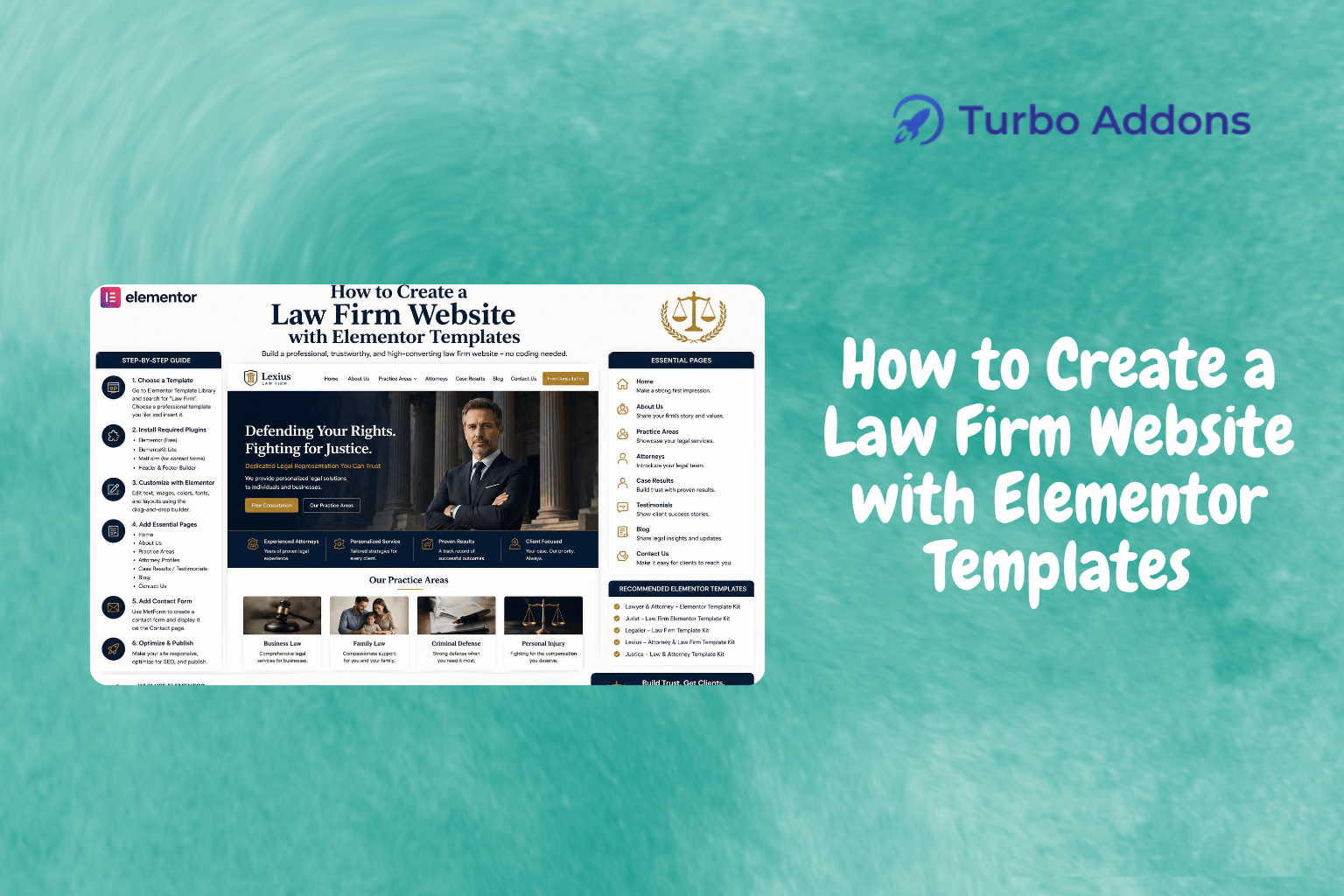
How to Create a Law Firm Website with Elementor Templates
As of recent trends, approximately 70% of law firms now utilize a dedicated website to reach potential clients and manage their digital presence. This significant increase highlights the growing importance of an online presence in the legal industry. In this comprehensive guide, we will explore how law firms can leverage Elementor templates to build a professional and effective website effortlessly. Our focus will be on utilizing Turbo Addons for Elementor, a toolkit offering 200+ templates and 85+ widgets to make the design process seamless.
By the end of this post, you’ll have a clear understanding of how to select and customize Elementor templates ideal for your firm’s unique needs. We will also touch on the types of widgets available and the pricing structure for leveraging these tools effectively.

What Are Elementor Templates?
Elementor templates are pre-designed page layouts that can be easily customized within the Elementor page builder. These templates exist to simplify the website-building process, eliminating the need for complex coding or design expertise. They are especially useful for law firms looking to create a professional digital presence without the overhead cost of hiring a developer.
Designed for flexibility, Elementor templates cater to a variety of industry needs. Whether your law firm focuses on corporate law, family law, or any specialized niche, there’s a template ready to be tailored to reflect the values and aesthetics of your practice. Their intuitive drag-and-drop interface ensures that even those with minimal technical proficiency can make significant customizations to their website.
Deep Dive into Creating a Law Firm Website with Elementor
Building a law firm website using Elementor begins with selecting the appropriate template kit. These kits often include a range of page types necessary for a fully functional legal site, such as home, about, services, blog, and contact pages. Turbo Addons offers a rich library of templates that can be selectively imported and customized.
Once you’ve chosen a template, the next step involves customization. This includes updating textual content, incorporating branding elements like logos and color schemes, and configuring interactive elements like forms. Elementor’s live editing feature allows you to see changes in real-time, a huge advantage for gauging design effectiveness.
In addition to adjusting design elements, consider incorporating advanced widgets provided by Turbo Addons. These widgets expand the functional scope of your website by adding advanced displays for services, client testimonials, and case studies. This not only enhances the aesthetic appeal of your site but also reinforces your firm’s credibility.
Incorporating SEO best practices while customizing is also crucial. Elements like meta tags, alt texts, and structured data should be mindfully integrated to ensure your site remains accessible and search-friendly. Turbo Addons simplifies this with widget tools designed to enhance on-page SEO.
Types of Widgets
Turbo Addons features over 85 widgets, categorized into content, creative, dynamic, marketing, social, and WooCommerce options. Content widgets like the Logo Carousel and Advanced Heading help to enrich text and visual presentations on your site. These widgets allow further personalization, ensuring each aspect of the website mirrors your firm’s professional identity.
For more dynamic presentation, creative widgets such as Hero Slider and 3D Carousel can transform standard page elements into interactive client-engagement points. Additionally, WooCommerce widgets provide full support for integrating eCommerce features directly into your Elementor site, aiding in the sale of legal documents or consultations.
Pricing
When considering the cost of building a law firm website, Turbo Addons offers a mixture of free and premium plans. The free version provides limited access to widgets and templates, perfect for smaller or emerging firms. Paid plans unlock full access to the Turbo Templates Library and start at $24.99 per year for the Personal plan, suitable for two sites. Higher plans like the Agency package offer capabilities across 1,000 sites and include ongoing support and updates.
Why It Matters
Establishing a professional law firm website is vital for maintaining competitiveness and accessibility in today’s digital age. With more clients relying on online searches to find legal representation, a well-crafted website ensures that your firm is discoverable and can effectively communicate your expertise and services to potential clients.
Using Elementor templates paired with Turbo Addons provides a unique balance of quality design with ease of use. By leveraging these tools, law firms can efficiently build a website that stands out, without diverting critical resources away from their primary legal tasks.
Furthermore, with the continuous adaptability of templates and widgets, the website can evolve as your firm grows and needs change. This ensures long-term value, as site updates and new feature implementations can be handled swiftly and cost-effectively.
How It Works
The process of setting up your website begins with selecting a template that aligns with your vision. Using Elementor’s interface, you can easily replace placeholder content with your firm’s information – all without touching a line of code. Alignment options and responsive settings ensure that your site looks polished on all devices.
Once the structure is ready, focus shifts to enhancements using additional widgets. Content widgets enrich the text layouts to incorporate streamlined call-to-action sections. Scroll Navigation widgets provide intuitive site access which improves user experience significantly.
Turbo Addons widgets further enhance functionality, offering capabilities like integrated Google Maps, useful for clients seeking location data. Social media widgets connect visitors with your online community, driving engagement beyond the website itself.
Call to Action
Ready to start designing your law firm’s website? Visit the Turbo Addons website to access templates that can help bring your vision to life. From customizable layouts to advanced widgets, everything you need is just a click away. Check out the templates here.
FAQs
Can I use Turbo Addons with the free version of Elementor?
Yes, Turbo Addons is compatible with both the free and pro versions of Elementor. However, some features may require the pro version for full functionality and benefits.
What kinds of support are offered with Turbo Addons?
All paid plans include ongoing support and updates. If you’re using the free version, you still receive basic support and access to essential updates. Help is readily available at their support center for any questions or technical issues.
Is there a limit on the number of pages I can create?
There is no specific limit on the number of pages you can create using Turbo Addons and Elementor templates. However, plan limits may apply based on the number of sites. Higher-tier plans support more extensive multi-site applications and offer additional benefits like expanded widget libraries.
Do I need coding skills to use these tools effectively?
No coding skills are needed. Both Elementor and Turbo Addons are designed with a focus on user-friendliness. Their drag-and-drop interfaces mean you can create visually stunning pages without any technical background, making web design accessible to all.


