How to Launch a WordPress Website Fast – Complete Beginner Guide
The digital age has fostered a phenomenal rise in websites, with over 1.7 billion sites now in existence globally. Among these, WordPress dominates, powering approximately 39.5% of all websites. Given its expansive reach and ease of use, launching a WordPress website fast is an attractive option for many. Whether you’re a business owner, blogger, or hobbyist, learning how to establish your website swiftly and effectively is crucial in this fast-paced environment.
This guide aims to demystify the process of getting your WordPress website up and running quickly. We’ll cover the basics of website setup, including the roles of hosting, themes, and plugins. We will particularly focus on tools that leverage drag-and-drop capabilities and AI functionalities designed for enthusiasts and newcomers alike.
What is Launching a WordPress Website?
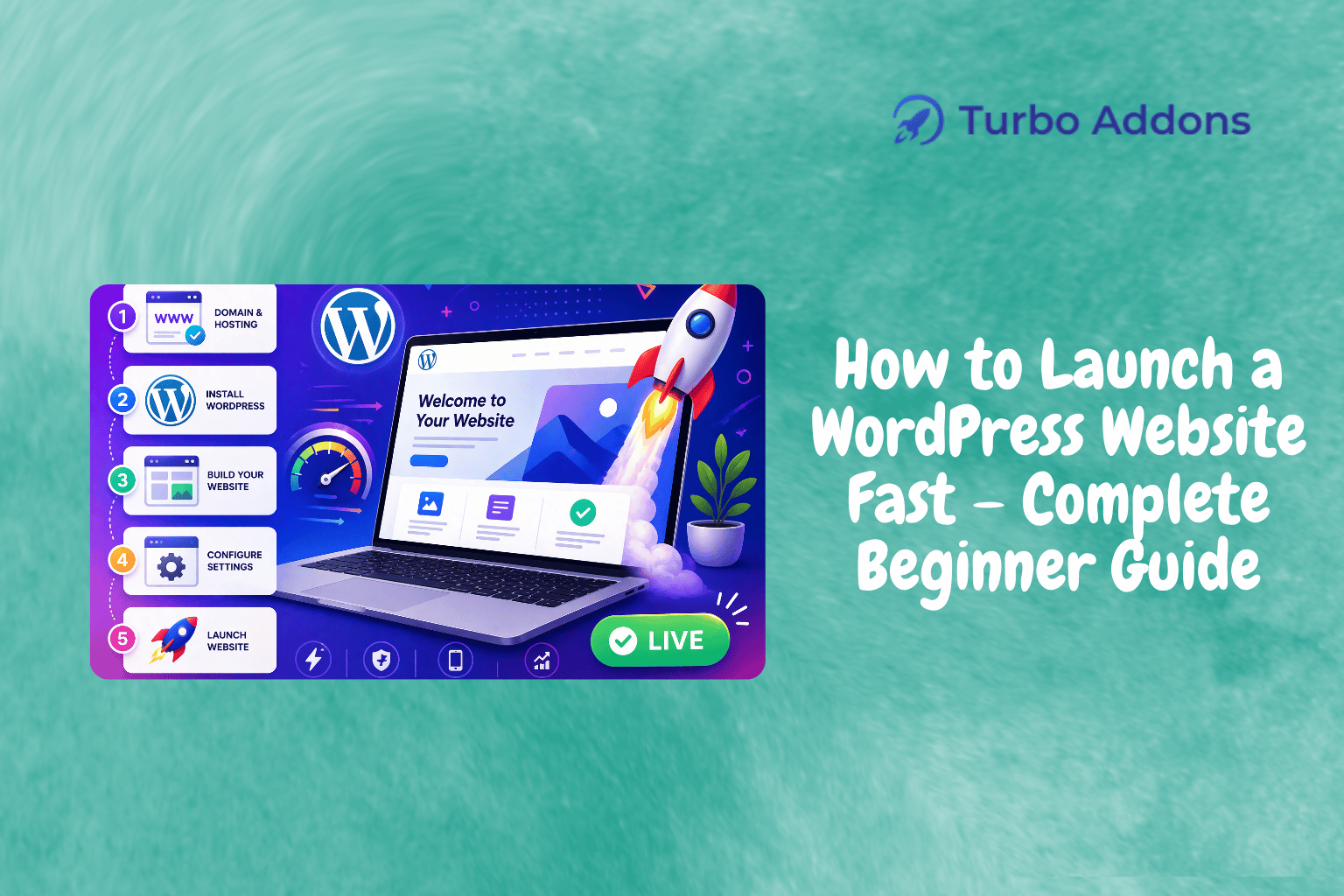
Launching a WordPress website involves deploying a new site on the internet using the WordPress platform, known for its user-friendly interface. This process includes tasks such as obtaining a domain name, acquiring a hosting service, and setting up WordPress. These steps create the foundation of your online presence, making it accessible to users worldwide.
The concept of launching a WordPress site is designed to cater to various groups from personal bloggers to corporate giants. Despite differences in scale, the core process remains similar, providing a robust yet simple solution for anyone to create and manage their web presence effectively in today’s global market.
Detailed Steps for Launching Your WordPress Website Fast
To launch a WordPress website efficiently, start by selecting a domain name that represents your brand or idea. It is your site’s identity, so choose something memorable and relevant. Afterward, select a reliable hosting provider. There are numerous options available, but make sure to pick one that supports WordPress and scales with your growth.
Once you have a domain and hosting, install WordPress. Many hosting providers offer one-click install options that simplify this process. After installation, you’ll be able to log into your new WordPress dashboard. From there, you can begin to personalize your site using themes, which dictate the overall design and layout. For beginners, themes like Astra or Hello Elementor are excellent choices due to their simplicity and extensive support communities.
Next, populate your website with content. Start by creating essential pages like About, Contact, and Services. Content creation tools and plugins like Turbo Addons for Elementor can significantly enhance this process. With over 85 widgets, Turbo Addons offers creative tools for both basic and advanced users.
Another crucial step is optimizing your website for search engines. Utilizing SEO plugins can dramatically improve your site’s visibility. Yoast SEO or Rank Math are popular plugins that guide you through creating search-engine-friendly content. As you add content, keep SEO best practices in mind to ensure your website is indexed correctly and ranks well on search engines.
WordPress also offers a multitude of plugins to add functionality. From SEO tools to integrated shopping carts for e-commerce, plugins are a vital part of your website’s growth and usability. The Turbo Addons for Elementor is excellent for those using the Elementor page builder, providing numerous widgets including WooCommerce-specific tools without needing coding skills.
Types of Widgets Available for WordPress
Widgets are the building blocks for customizing your WordPress site. They offer various functionalities, from displaying content like text and images to embedding dynamic features like forms and maps. Turbo Addons for Elementor is an ideal plugin for new users, offering over 85 widgets spread across six categories, providing tools for content, creative, and dynamic marketing, among others.
Content widgets like Advanced Heading and Data Table assist in presenting structured data effectively. Creative widgets such as 3D Flip Box and Image Vertical Scrolling add aesthetically pleasing elements, enhancing visual appeal. Dynamic widgets like Post Filter Tab and Progress Bar feed dynamic content effectively.
For social interactions, Social Bar and Review Star widgets offer seamless integration. Turbo Addons also includes 20+ WooCommerce widgets, allowing even e-commerce novices to develop and display products attractively. Visit our website for more details on available widgets and their applications.
Understanding Pricing and Costs
Launching a website involves mindful budgeting, especially for hosting, themes, and plugins. Turbo Addons for Elementor offers various plans. A free version is available, providing limited features. Annual and lifetime plans unlock full widget libraries, templates, and ongoing support.
| Plan | Sites | Price |
|---|---|---|
| Free | Unlimited | $0 |
| Personal | 2 Sites | $24.99/yr |
| Business | 10 Sites | $49.99/yr |
| Agency | 1,000 Sites | $119.99/yr |
The Importance of Speedy Website Launches
Launching a WordPress website fast is crucial for grabbing early opportunities in any market. In today’s competitive landscape, being first can offer a significant advantage, whether your goal is to attract visitors, generate leads, or sell products. The faster the setup, the sooner you can begin reaping the rewards of your online presence.
A swift launch also minimizes downtime and uncertainties, allowing you to gather real-world feedback quickly. Early iterations and revisions based on actual user interaction are vital for refining user experience and interface. This agile approach to site deployment and content optimization can significantly enhance user engagement and retention.
Moreover, a quick site launch allows for timely marketing initiatives, ensuring that promotional efforts align perfectly with site readiness. This synchronization can lead to effective campaign execution and seamless transitions from offline to online marketing strategies, maximizing the impact of all promotional efforts.
How a WordPress Website Launch Works
The process of launching a WordPress website involves several key stages, beginning with planning and resource gathering. This includes defining your site’s purpose, target audience, and content strategy. By doing this, you ensure that your site aligns with your business goals and customer needs from the outset.
Following the planning stage, the setup phase begins. Leveraging hosting services that provide quick WordPress installations via one-click tools saves time and reduces technical complexities. Simultaneously, utilizing themes and plugins with intuitive interfaces and drag-and-drop functionality like Elementor simplifies layout customizations.
Finally, post-launch considerations include regular updates and security measures. Utilizing security plugins and adhering to best practices for data protection ensures the site remains secure and up-to-date. Frequent content updates and user feedback loops ensure your site remains relevant and aligned with audience expectations and industry dynamics.
Take the Next Step
Now that you’re equipped with the knowledge to launch your WordPress website fast, why not begin today? For additional resources and support, visit Turbo Addons for Elementor. Empower your web journey with the right tools and guidance to create something remarkable.
Frequently Asked Questions
What is the easiest way to start a WordPress website?
The easiest way to start is by choosing a reputable hosting provider that offers one-click WordPress installations. From there, you can log into your WordPress dashboard, select and activate your theme, and begin adding content. Plugins, like Turbo Addons for Elementor, provide additional ease by enhancing customization options without requiring any coding skills.
Is it necessary to know how to code to launch a WordPress site?
No, it’s not necessary to know how to code when using WordPress. The platform is designed to be user-friendly, especially with the help of page builders like Elementor. Plugins like Turbo Addons provide intuitive drag-and-drop features that allow even beginners to create professional-looking websites swiftly and effortlessly.
How long does it typically take to launch a WordPress website?
The time to launch depends on the complexity and requirements of your website. A basic WordPress website with predefined themes and plugins can be ready in a few hours. However, more complex sites with custom features may take several days. Streamlined tools and plugins can significantly reduce this time.
Can I expand my website’s capabilities after its launch?
Absolutely, WordPress is highly modular. You can always add new functionalities through plugins and themes. Tools like Turbo Addons for Elementor enable scaling with over 85 widgets and WooCommerce support, allowing you to enhance your website continually based on evolving needs and feedback.
Featured image: https://turbo-addons.com/wp-content/uploads/2026/04/Turbo-Addons-1-1.png