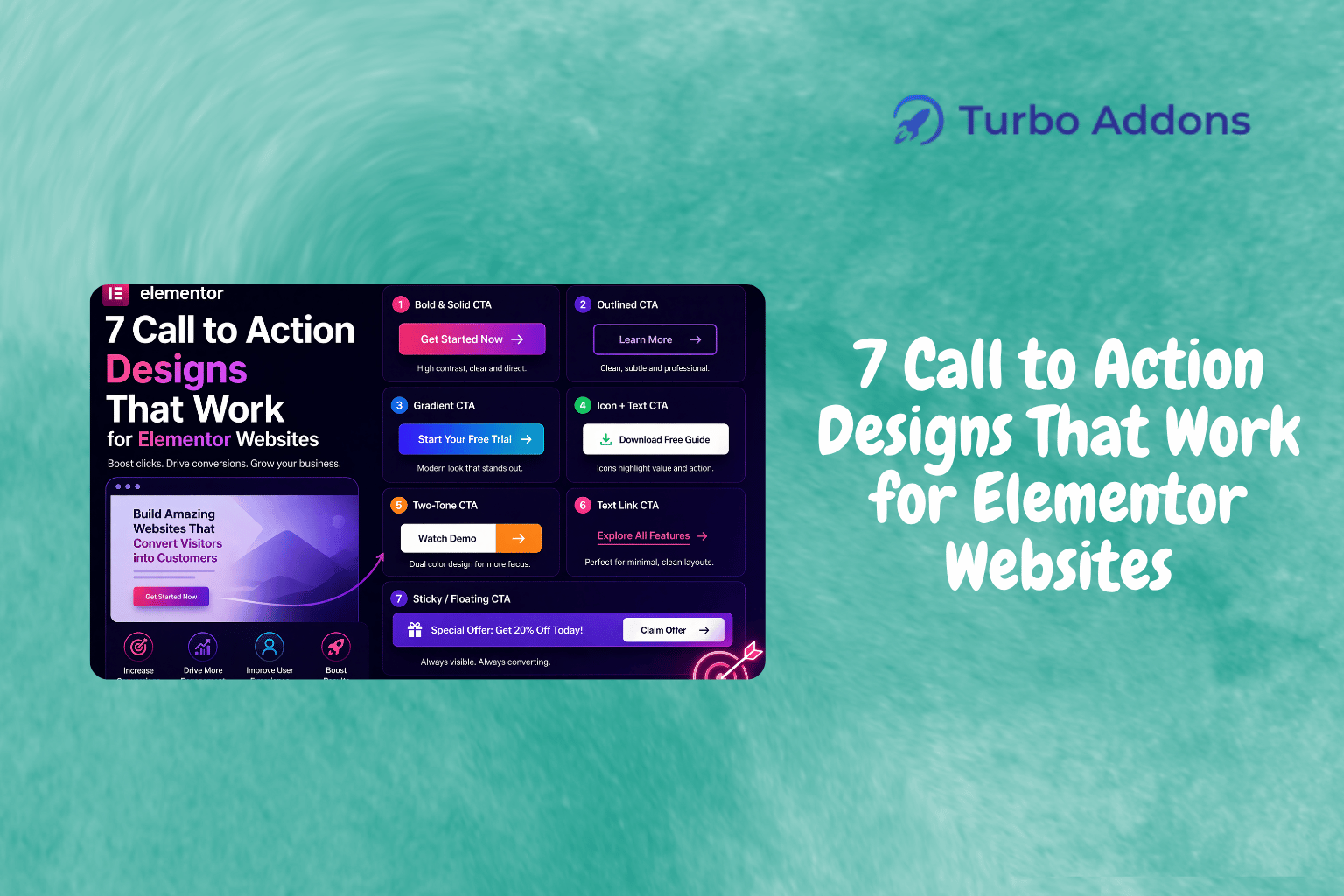
7 Call to Action Designs That Work for Elementor Websites
With digital marketing constantly evolving, an effective Call to Action (CTA) can make a significant difference in your website’s performance. According to recent studies, websites with well-designed CTAs improved conversion rates by over 200%. Understanding this influence is essential, especially when using tools like Elementor for page building. In this post, we’ll dive into top-performing CTA designs tailored for Elementor sites, explaining how these designs can optimize your conversion results.
We will explore the best CTA designs, why they are effective, and how you can implement them on your Elementor website. We’ll delve into practical examples and discuss the widgets available in Turbo Addons for Elementor that can simplify the entire process. By the end of this post, you’ll have actionable insights to enhance your Elementor site’s engagement and conversion rates.

What Is a Call to Action?
A Call to Action (CTA) is a prompt on a website that tells the user to take some specified action. It serves as a critical component in design, guiding users through the website’s content journey toward a desired outcome such as signing up for a newsletter or making a purchase. CTAs are more than just buttons; they are strategically placed elements designed to lead users toward conversion goals.
The significance of CTAs has grown in digital marketing due to their role in capturing the audience’s attention and driving desired actions. For website owners using Elementor, understanding how to design and position effective CTAs is paramount for optimizing conversions. Whether you’re a blogger, a business owner, or a digital marketer, leveraging CTAs can significantly impact your site’s performance and growth.
7 Call to Action Designs for Elementor
When designing CTAs for Elementor websites, it’s crucial to focus on clarity, appearance, and placement. Here’s a deeper look into seven designs that have proven successful:
1. Bold Buttons: These are typically large, vibrant buttons that stand out against the page’s background, immediately drawing the user’s eye. When paired with compelling action words like ‘Subscribe Now’ or ‘Get Started,’ they prompt users towards immediate engagement.
2. Floating CTAs: Floating CTAs stay visible as users scroll through a page. This persistence is excellent for ensuring the CTA remains top-of-mind and accessible, especially during long reads or detailed page content.
3. Exit Intent Pop-ups: These trigger when a user shows intent to leave the site. By offering a compelling last-minute offer or subscription option, they effectively catch users’ attention right before departure.
4. Slide-in CTAs: Appearing as users scroll, these unobtrusive CTAs can engage visitors without disrupting their reading experience. They’re perfect for suggesting relevant actions based on content just consumed.
5. Hero Header CTAs: Placed within the hero section of a webpage, these are often the first interactive elements users see. They leverage the full width of the header to prompt a major action right from the beginning.
6. CTAs within Content: Strategically placed within the text, these CTAs can suggest actions that are highly relevant to the information just read, offering a seamless transition from content to action.
7. Video CTAs: Allowing users to engage directly through a video, these CTAs enhance interactive experiences, promoting actions like ‘Watch More’ or ‘Subscribe to Channel.’ For Elementor users, the Turbo Addons plugin offers excellent enhancements to embed these CTA types effortlessly.
Types of Widgets
Elementor and its supporting plugins like Turbo Addons offer various widgets to implement these CTA designs effectively. For example, the Advanced Button widget allows you to create customized buttons with different animations and styles, enhancing user engagement significantly. The Call To Action widget is crucial for designing eye-catching CTA boxes that stand out on your pages.
Turbo Addons for Elementor further enriches your CTA toolkit by including options such as the Popup Box, which is perfect for exit-intent and slide-in CTAs, and the Hero Slider, ideal for promoting hero header CTAs. These widgets give you creative control over your CTA’s appearance and functionality, crucial for aligning them with the rest of your website design.
Pricing
Turle Addons provides a competitive pricing model that includes a free plan alongside multiple superior options for more extensive needs. Here’s a quick glance:
| Plan | Sites | Price/yr | Widgets | Templates | Support |
|---|---|---|---|---|---|
| Free | Unlimited | $0 | Limited | Limited | Yes |
| Personal | 2 | $24.99 | 85+ | 100+ | Yes |
Why It Matters
Elementor’s flexibility enables you to build custom designs without the need for coding. However, creating CTAs that effectively convert visitors into customers is critical. These CTA designs can directly influence user engagement and conversion rates by guiding users through the intended navigation paths. Appropriate CTAs prevent the user’s journey from being aimless and help maintain a focused path toward conversion.
The choice of CTA design can also reflect your brand’s voice and style, creating a consistent user experience across your digital presence. In Elementor, a well-placed and designed CTA can enhance the aesthetic of the site while still serving a functional purpose. Turbo Addons enhances this capability by offering a suite of over 85 widgets, including several CTA options that provide customizable settings to fit various design requirements.
Ultimately, selecting the right CTA design that aligns with your site’s goals and your audience’s expectations can make or break the effectiveness of your digital strategy. Whether you’re guiding a first-time visitor towards signing up for a newsletter or purchasing a product, CTAs play a pivotal role in facilitating that engagement.
How It Works
To implement effective CTA designs using Elementor, the process begins with identifying your website’s primary goals and user journeys. Understanding the stepping stones that a user would naturally take is crucial for placing CTAs at conversion-friendly points on the site. Once these touchpoints are determined, you can implement various design tactics like bold buttons or slide-ins that align with these paths.
Once setup, testing different CTA placements and styles can offer insights into what resonates with your audience. A/B testing tools within plugins or external analytics solutions can help refine CTA strategies according to user interactions. The cycle of testing and improvement should be ongoing to sustain and boost site conversions.
Turbo Addons for Elementor simplifies adding these CTAs by offering pre-designed options and flexible settings that can be tailored to specific site needs. The convenience of drag-and-drop utilities coupled with extensive customization options allows you to fine-tune CTAs to fit your overall design strategy seamlessly.
CTA
Start enhancing your Elementor site with effective CTA designs today by exploring the powerful possibilities with Turbo Addons. For further assistance and resources, visit turbo-addons.com.

FAQs
What makes a good call to action?
A good call to action is clear, concise, and compelling. It captures the user’s attention with precise wording and strategic placement. Effective CTAs use active language and visually stand out from surrounding content, enticing users to engage. For best results, the CTA should align with the user’s next logical step and the overall goals of the website.
Can Turbo Addons work with free Elementor?
Yes, Turbo Addons is compatible with both free and Pro versions of Elementor. While using advanced features might necessitate Elementor Pro, most basic and essential functionalities can be fully utilized with the free version. Turbo Addons aims to make high-quality design options accessible regardless of budget constraints.
How do CTAs affect SEO rankings?
While CTAs directly do not impact SEO, they significantly influence user engagement metrics like click-through rates and dwell time, which search engines consider ranking factors. By enhancing user experience and guiding traffic strategically, well-designed CTAs contribute to higher site performance, which can indirectly boost SEO rankings.
Are all Turbo Addons features available in the free version?
The free version of Turbo Addons offers limited access to features compared to the full suite available in the Pro plans. However, it includes access to vital components that enable effective website building. Upgrading to premium plans unlocks additional widgets and templates, providing more robust building capabilities.