Create an Investor Relations Website in Elementor – Step by Step
Investor relations websites are becoming essential in today’s digital-first world. With over 90% of investors relying on websites for research, it’s critical for companies to have an effective digital presence. These sites not only provide detailed financial data but also communicate key messages to current and potential investors. Creating a compelling investor relations website can significantly enhance credibility and transparency for businesses seeking investment. In this guide, you will learn how to build one website using Elementor, a popular WordPress page builder, to simplify the process without requiring extensive coding skills.
What Is an Investor Relations Website?
An investor relations website is a crucial part of a company’s communication strategy. It provides stakeholders with financial data, corporate news, and key performance indicators. These websites serve as a direct line of information between the company and its investors, aiding in decision-making and resulting in more informed investment choices. Typically, they include sections for annual reports, stock information, press releases, and corporate governance.
Such platforms are designed for public companies, finance professionals, and potential investors. By having a dedicated site, businesses can ensure that the information shared is current, accurate, and effectively represents the company’s ethos. This specialized communication channel helps build trust and maintain a transparent relationship with the investment community.
Using Elementor to Create an Investor Relations Website
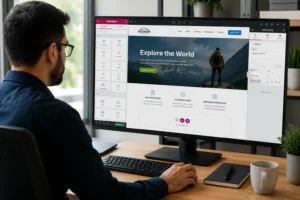
To create one website using Elementor, start by installing WordPress and selecting a suitable theme. Many themes are compatible with Elementor, offering a robust foundation for your site. Once your theme is set up, install Elementor from the WordPress plugin repository. This powerful page builder allows you to design pages via a drag-and-drop interface, making it ideal for users without coding experience.
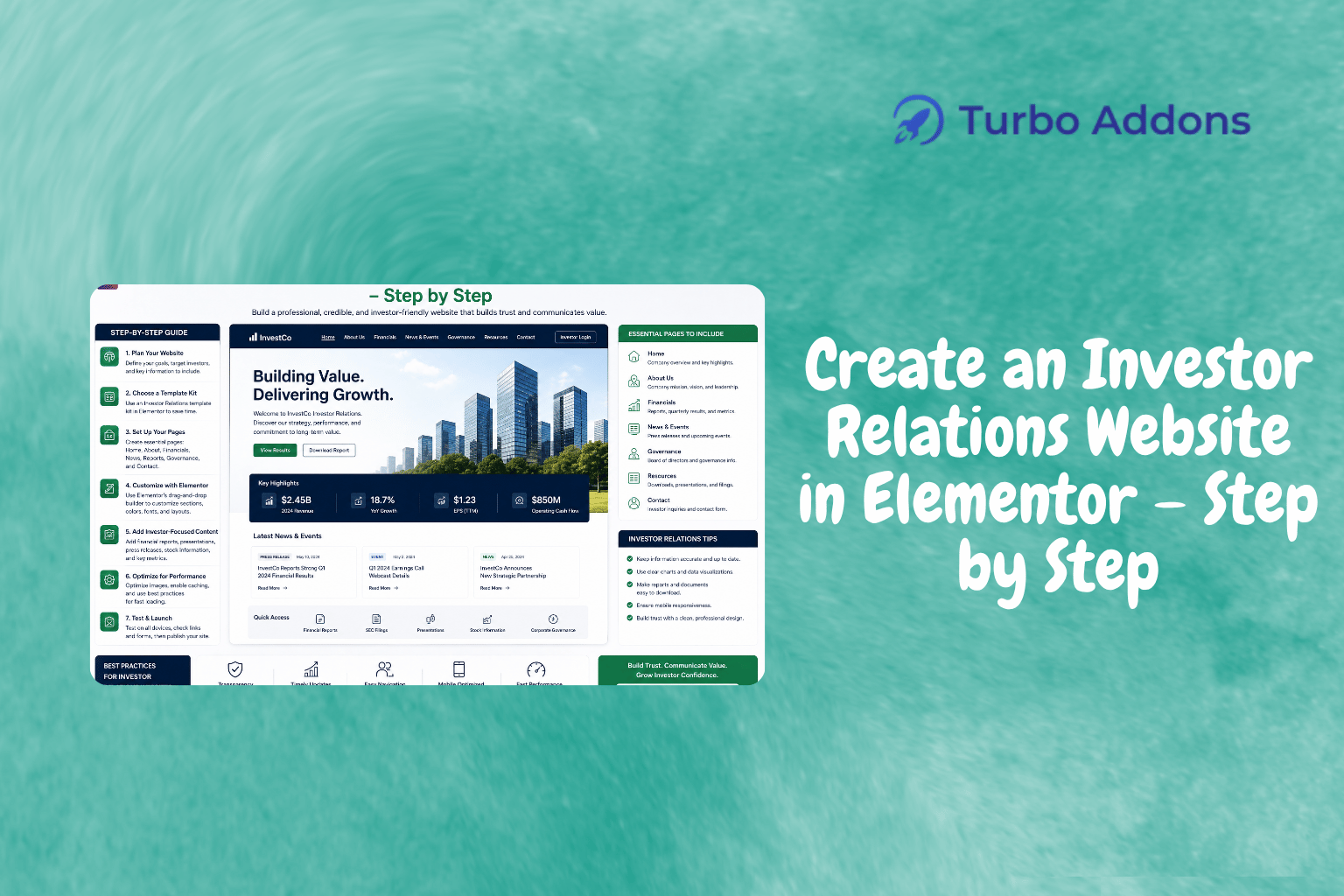
Begin by constructing the homepage using Elementor‘s pre-designed templates. You can access numerous options from Turbo Addons, such as the Investor Relations template, offering a structured layout suited for financial disclosures. Utilize content widgets to add essential sections like company overview, stock performance, and news updates seamlessly.
After the homepage, move to secondary pages like ‘About Us,’ financial reports, press releases, and contact details. Use WooCommerce widgets to integrate any financial tools or subscriptions, if applicable. With Turbo Addons’ range of 85+ widgets, like charts and data tables, you can present complex financial information intuitively and engagingly.
Utilize Elementor’s drag-and-drop features to customize these components further. This approach allows you to maintain control over the design aesthetics while ensuring each element aligns with your company’s branding. Ensure mobile-responsiveness and performance optimization to cater to the increasing number of mobile users accessing investor information.
Types of Widgets for an Investor Relations Website
The variety of widgets available can transform the capabilities of your website. Turbo Addons for Elementor offers a comprehensive library covering content, marketing, and WooCommerce categories. For investor relations websites, consider content widgets like Advanced Accordion, Dual Header, and Data Table for structured information presentation.
Visual and dynamic content widgets enhance the visual appeal, with options like Hero Slider and 3D Carousel for interactive elements. Marketing widgets, including Pricing Table Pro and Testimonial Slider, can add depth to investor presentations, providing detailed and impactful stories about corporate achievements.
WooCommerce widgets are valuable for companies offering online investment services or products. With Turbo Addons, you can seamlessly integrate these features, ensuring a smooth customer journey through your website. Explore more widget possibilities at Turbo Addons to enhance your site’s functionality.
Pricing Plans for Turbo Addons
The cost of building an investor relations website with Turbo Addons can vary based on your needs. Turbo Addons offers both free and paid plans. The free version provides limited widgets and templates, while premium tiers offer enhanced functionality.
For larger projects, annual and lifetime plans are available. The Personal plan starts at $24.99/year for up to 2 sites, while the Agency plan supports up to 1,000 sites at $119.99/year. Opting for these plans unlocks the full Turbo Templates Library and provides ongoing support.
Why Investor Relations Websites Matter
Investor relations websites often act as a window to a company’s financial health and future prospects. Companies looking to attract investors need to present their data transparently and thoroughly. A well-designed website enables potential investors to gauge performance, read biographies of key personnel, and understand strategic initiatives, thereby facilitating informed decisions.
Ease of access to information can set a business apart in competitive markets. In a digital landscape where first impressions matter, a professional and responsive design lends businesses credibility, potentially leading to more investment interest and positive stakeholder engagement.
This digital presence does more than just inform—it reassures potential investors about a company’s commitment to transparency. Consistent updates and real-time data foster a trusting relationship, critical in fostering long-term investor relations and collaboration.
How to Use Elementor for Investor Relations
Creating an investor relations website with Elementor involves using its intuitive interface to simplify each step. After setting up your hosting and installing WordPress, visit the Elementor plugin page. Installation is straightforward, helping users quickly gain access to powerful design tools. Open Elementor to explore various template kits available from Turbo Addons.
Utilize the drag-and-drop header and footer builder to establish a consistent navigation structure. This ensures ease of access and a professional-looking site across all pages, maintaining brand uniformity. Enhance your site with Turbo Addons’ widgets, which bring advanced functionalities without the need for additional coding.
Lastly, make use of the built-in mobile optimization tools in Elementor. This ensures your website looks great on all devices, accommodating today’s tech-savvy investors who prefer accessing information on their smartphones. The entire process empowers businesses with the flexibility to be creative and responsive to investor needs.
Next Steps
Ready to start building your investor relations website with Elementor? Visit Turbo Addons to access templates and widgets that make the process easier and more efficient.
FAQs
How do I start using Turbo Addons with Elementor?
Begin by installing WordPress on your hosting server and selecting a compatible theme. Once your theme is ready, install the Elementor plugin from the WordPress plugin repository. After activating Elementor, integrate Turbo Addons to access a range of widgets and templates designed to enhance your site-building experience.
What types of investor-related elements can I include?
You can include various elements such as stock charts, financial reports, company announcements, press releases, and contact forms. Turbo Addons provides specialized widgets like Data Tables and Advanced Accordion to structure these components efficiently within your website.
Can I manage my design without coding skills?
Absolutely. Elementor is designed for ease of use, featuring a drag-and-drop interface that requires no coding skills. With Turbo Addons, you can apply advanced functionalities effortlessly through intuitive widgets and templates, making it easy for anyone to design a professional website.
Are there templates available specifically for investor relations?
Yes, Turbo Addons offers pre-designed templates tailored for various industries, including investor relations. These templates provide a solid foundation for your site, offering layouts and design elements specifically crafted for financial presentations, enhancing both usability and visual appeal.