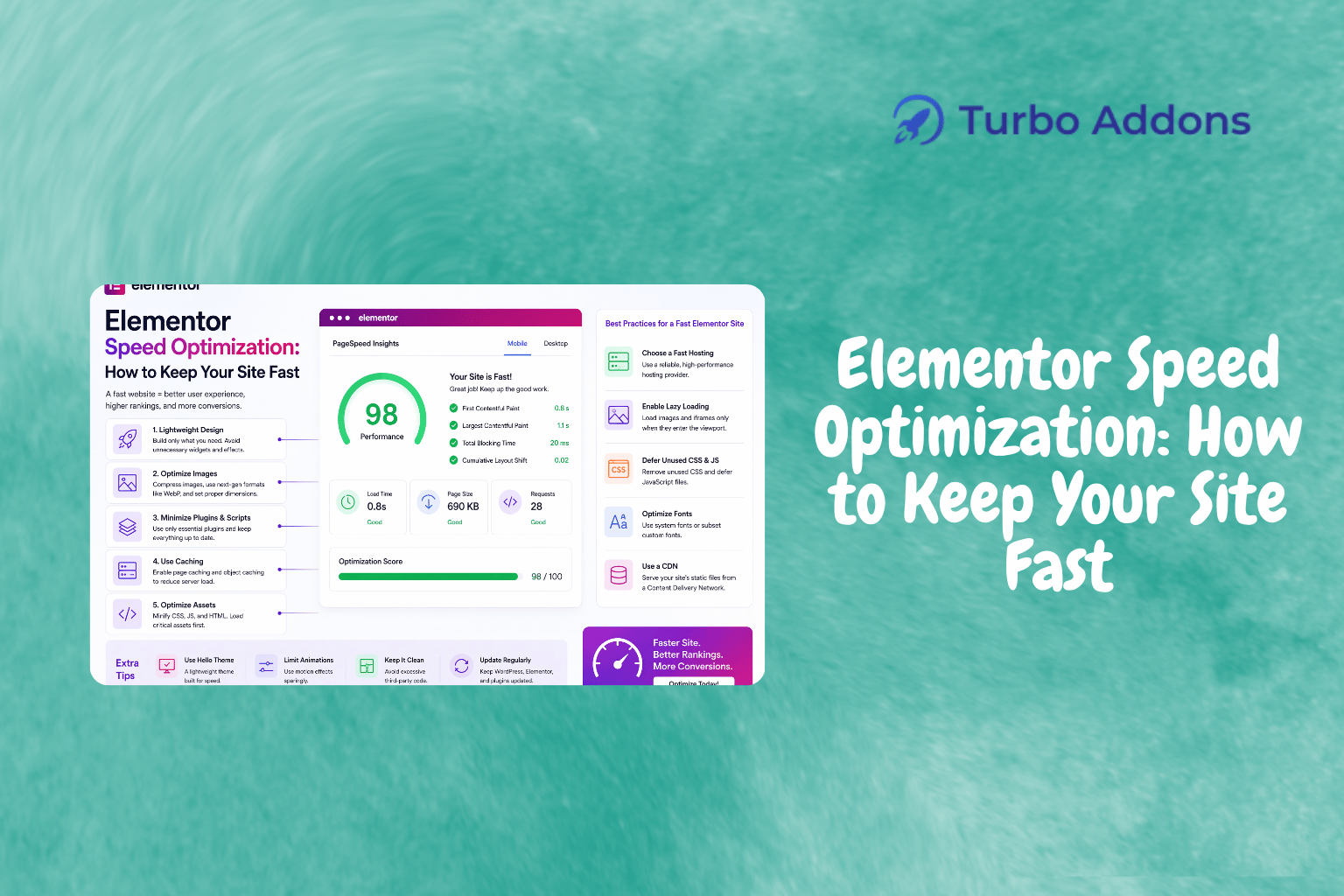
Elementor Speed Optimization: How to Keep Your Site Fast
Site speed is a critical factor affecting user experience and search engine rankings. According to Google, over half of mobile users abandon a page if it takes more than three seconds to load. For Elementor-built sites, speed is crucial due to the extensive use of widgets and design features that can slow down a site if not optimized. This blog explores essential strategies for Elementor speed optimization to ensure fast loading times, improved conversions, and better performance.
We’ll discuss what Elementor speed optimization entails, provide insights into methods and tools you can use, explore available widgets, discuss pricing structures, and explain why speed optimization matters. This guide serves as a comprehensive resource to answer questions and offer practical solutions to enhance your Elementor site’s performance.
What Is Elementor Speed Optimization?
Elementor speed optimization refers to techniques to improve loading times for websites built with Elementor. The goal is to ensure that a website loads quickly to enhance user experience and SEO performance. Slow websites can deter visitors, affect conversions, and lower search rankings. Optimizing speed is thus essential for maintaining user engagement and achieving business objectives.
This involves optimizing images, scripts, and CSS in Elementor designs. It’s not just about caching or using a CDN; it involves a strategy to simplify and streamline how an Elementor site loads on a user’s device. It’s ideal for developers, site owners, and digital marketers looking to maximize their Elementor-powered website’s effectiveness.
Elementor Speed Optimization: A Deep Dive
Understanding Elementor speed optimization involves familiarizing with best practices and tools. One technique is minimizing HTTP requests by combining CSS and JavaScript files, reducing server requests and load times. Enabling Gzip compression compresses site files into smaller sizes, speeding up loading.
Lazy loading is crucial for image-heavy pages, loading images only when they appear in the user’s viewport. This reduces resources used during the initial load, cutting down load times. Tools like WP Rocket or plugins within the Elementor ecosystem can aid in these optimizations.
Cache management tools, such as those by Turbo Addons for Elementor, improve site performance by storing copies of your site’s pages in users’ browsers for quicker access. Setting appropriate cache rules and expiration times can enhance this further.
Turbo Addons offers widgets and templates optimized for speed. Their library of 85+ widgets, such as Logo Carousel and Advanced Heading, integrates smoothly without affecting speed. Explore more on the Turbo Addons website to find tools that fit your needs.
Using a CDN is another effective strategy. By distributing your site’s content across geo-located servers, a CDN serves your site from the closest server to the user, minimizing latency and ensuring faster loading, even for distant visitors.
Types of Widgets
Elementor offers a range of widgets with varying functions. Content Widgets include Logo Carousel, Advanced Heading, Image Icon Card, and more, catering to multiple design needs. These widgets focus on displaying content innovatively.
Creative/Visual Widgets provide advanced design functionalities like Hero Sliders and 3D Flip Boxes. Dynamic Content Widgets (available in the Pro version) focus on content dynamically pulled from your site. For marketing, options like Pricing Table Pro and Testimonial Slider stand out.
Turbo Addons caters to WooCommerce users with over 20 dedicated e-commerce widgets, handling everything from product displays to cart functionalities. This makes it an excellent choice for Elementor users wanting a WooCommerce website. Detailed widget information is available at the Turbo Addons website.
Pricing
Pricing for Elementor plugins and add-ons varies based on features and support. Turbo Addons offers a free version with limited widgets and templates. For more, there are annual and lifetime plans:
| Plan | Sites | Price/yr | Widgets | Templates | Support |
|---|---|---|---|---|---|
| Free | Unlimited | $0 | Limited | Limited | Yes |
| Personal | 2 Sites | $24.99 | 85+ | 100+ | Yes |
| Business | 10 Sites | $49.99 | 85+ | 100+ | Yes |
| Agency | 1,000 Sites | $119.99 | 85+ | 100+ | Yes |
All plans provide ongoing support and updates, ensuring your site remains cutting-edge. More details and purchasing options are available at Turbo Addons Pricing.
Why It Matters
Site speed directly impacts user experience and engagement. A faster site means users are less likely to bounce and more likely to explore your offerings. For businesses relying on traffic and conversions, every fraction of a second saved in loading times improves user interaction and conversion rates.
In SEO, Google’s algorithms consider site speed in rankings. A website optimized for speed is more likely to rank higher, increasing visibility and potential traffic. Speed optimization is crucial for Elementor sites due to their reliance on numerous assets and widgets.
Marketing campaigns, landing pages, and e-commerce conversion paths benefit from enhanced speed. Turbo Addons offers widgets and features designed to work harmoniously, offering beauty and speed in your site’s presentation. A fast-loading website reinforces brand professionalism and reliability.
How It Works
Speed optimization begins with evaluating current site performance using tools like Google PageSpeed Insights or GTmetrix. These platforms offer reports detailing where your site may lag and provide specific recommendations. Those reports form the basis for a strategic optimization approach tailored to your site’s needs.
Next, select appropriate tools and plugins to enhance caching, image optimization, and script management. Turbo Addons simplifies this with integrated functionalities requiring minimal configuration. Their pre-designed templates reduce development time, ensuring your site’s speed isn’t compromised by complex designs.
Continuous monitoring and maintenance ensure sustained performance. Regular updates, backend adjustments, and server optimizations form part of an ongoing strategy to keep your site fast. Turbo Addons takes the guesswork out of this process by providing robust support and consistent updates.
To see how Turbo Addons can support your Elementor site’s speed optimization efforts, visit Turbo Addons for more details.
FAQs
How can I use Turbo Addons if I don’t have Elementor Pro?
Turbo Addons works with both free and Pro versions of Elementor. While some functionalities are enhanced by Elementor Pro, the free version offers robust features that work seamlessly with Turbo Addons. You can build efficient and visually appealing websites without needing Elementor Pro.
Can speed optimization affect my site’s design negatively?
While reducing elements might seem to negatively impact design, speed optimization focuses on efficiency. When using Turbo Addons, optimization enhances your design by ensuring that widgets and templates load efficiently, maintaining a stunning design without sacrificing speed.
What is the best way to measure the speed improvements I make?
Using Google PageSpeed Insights or GTmetrix is effective for measuring speed improvements. These tools provide reports showing before-and-after scenarios, highlighting the impact of optimization efforts. By regularly benchmarking, you can ensure ongoing performance monitoring.
Featured image: https://turbo-addons.com/wp-content/uploads/2026/04/Turbo-Addons-14.png